Semanticus works with Power BI and Fabric semantic models. Edit a model, check important numbers, understand what a change will affect, and review the exact difference before you publish. Your AI Assistant can work in the same session, with model edits visible, attributed and undoable.
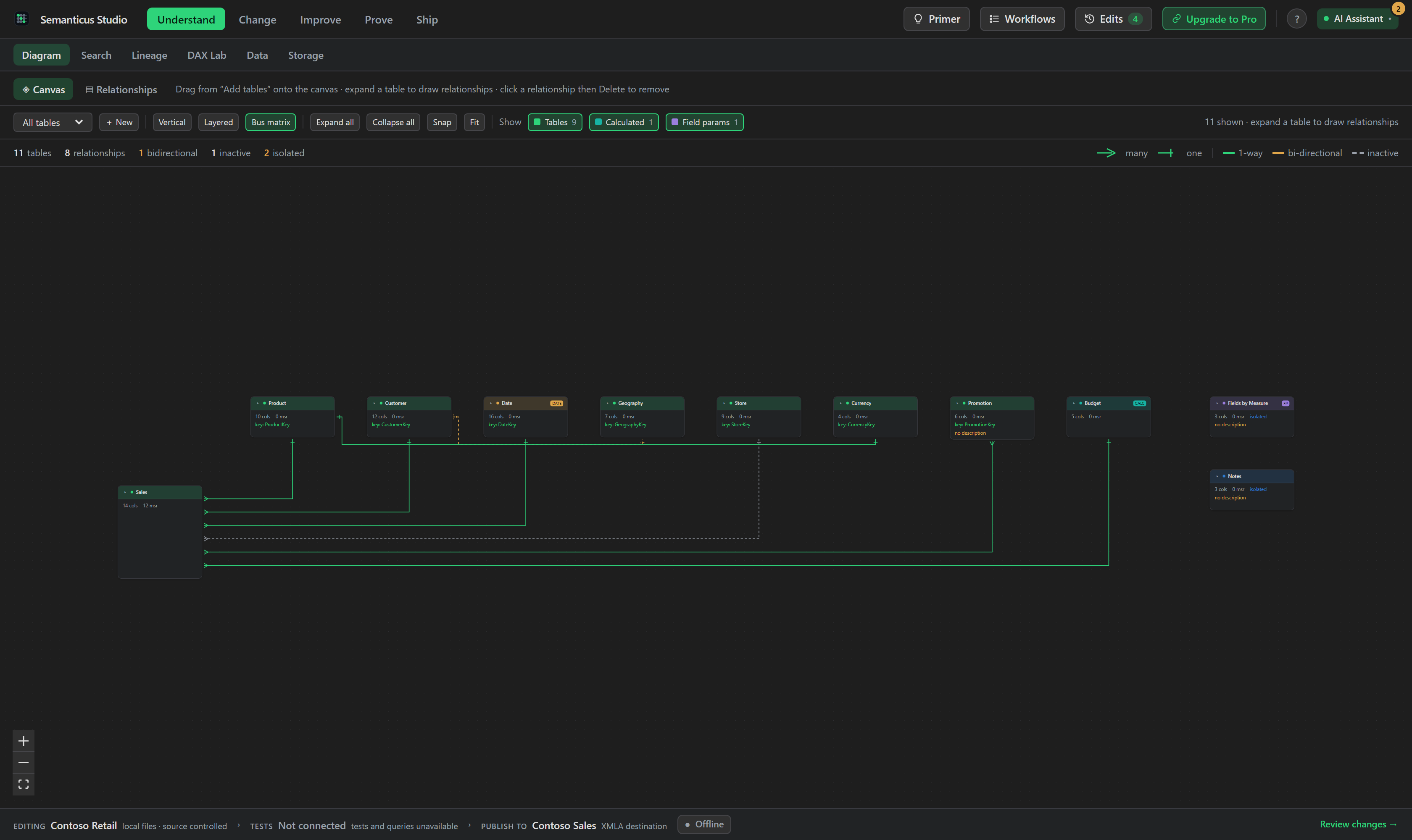
Open a PBIP, TMDL or BIM model, a running Power BI Desktop model, or a remote XMLA model. Work through the same Studio from first edit to final review.
Edit tables, measures, columns, relationships, calculation groups, security, DAX and M. Use modern calendars, model properties, a guided model spec and a full undo history.
Explore the diagram, preview data, inspect storage, search the model and trace lineage. See what depends on an object before you rename or remove it.
Run AI Readiness and Best Practice scans. Fix findings one at a time, write your own rules and keep accepted findings visible with a recorded reason.
Reconcile SQL and DAX, run repeatable model tests, interview the model and save evidence with the model. Prove a DAX rewrite returns the same values before applying it.
Compare models, review selected changes, check the release gate and preview every cloud write. Published pushes create a restore point before they change the target.
Keep separate identities for the model you edit, the model used by tests and the final publish destination. Prepare a safe local working copy when the source is remote.
You use the Studio. Your AI Assistant uses MCP. Both work on the same model and share the same undo history.
Connect an MCP-compatible AI Assistant, install the optional Semanticus skills, then ask it to document measures, investigate unused columns, improve a DAX expression or work through readiness findings. Its changes appear in the Studio and model tree immediately. Your edits reach it in its next tool result.

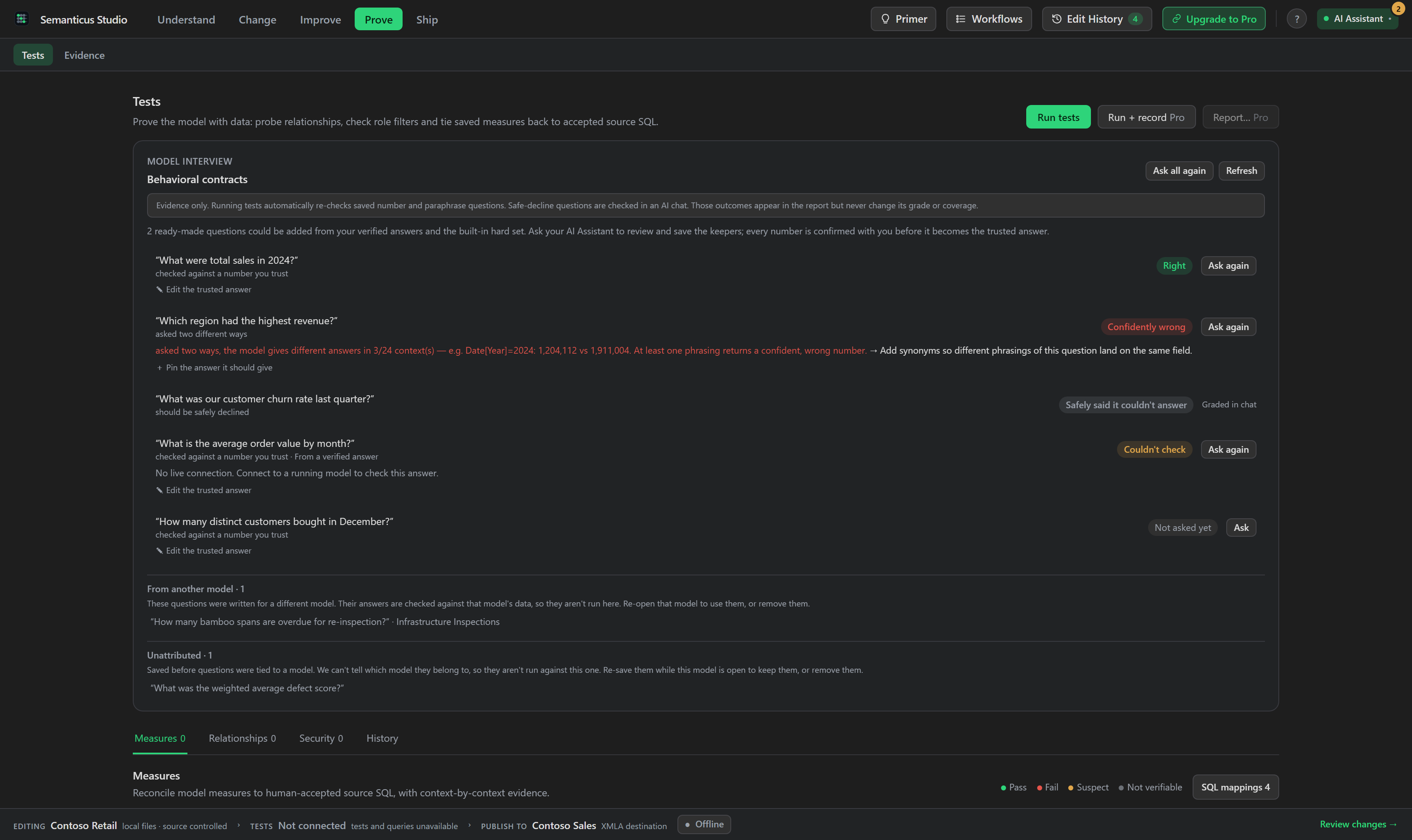
The Prove workspace brings Tests and Evidence together. Reconcile trusted SQL totals with DAX, check important measures across contexts, replay model interviews and export a report that records what passed.
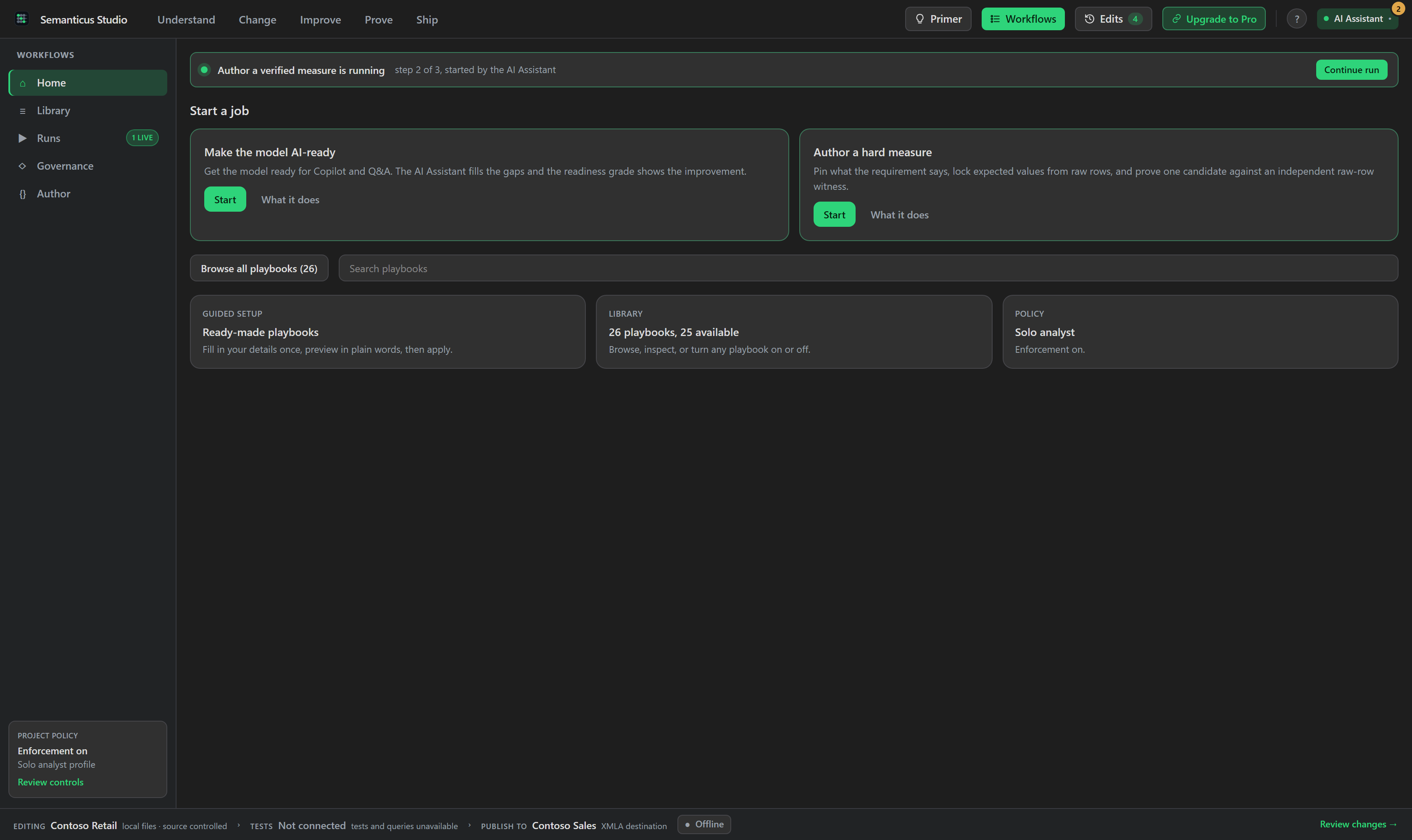
Workflows turn a job into a clear sequence of questions, edits and checks. The built-in hard-measure workflow uses one candidate, an independent raw-row answer, a context grid and a hard equivalence check before optional performance work.
Free includes the workbench, individual edits, scans, tests and previews. Pro adds reviewed bulk changes, enforced workflows, Verified Mode, continuous evidence and Pro-gated cloud writes. Compare Free and Pro.
Marketplace publication is separate, so the version offered there can differ.
1.1.3 adds getting-started steps and plain-language help throughout Studio, plus seven guides for your assistant. It also improves sign-in renewal, calculation testing, performance explanations, Model Spec and workflow profile selection. Install the skills or download the plugin pack.
Version 1.1.3 has installers for Windows 11 x64 and ARM64, Ubuntu 24.04 x64, macOS Intel and macOS Apple Silicon. Each includes its own engine. Offline model files and remote XMLA work across those packages. Power BI Desktop discovery, local XMLA and local M preview require Windows 11 x64. Read the support details.
Model editing runs on your machine, and Semanticus sends no product telemetry. Connections, queries and publishing send requests to the sources and targets you choose. Online DAX formatting sends the selected expression after consent. Your AI Assistant can read model information through MCP; its own account and data-handling terms apply. Read the privacy policy.
Pro is the enforcement and evidence layer. It adds reviewed bulk changes, Verified Mode, enforced workflow runs, advanced evidence, continuous health checks and Pro-gated Data Agent writes. See the full comparison.
Semanticus is built with open-source projects that make this work possible.
 Semanticus