Semanticus
Documentation

Advanced Modelling

Calculation groups, row- and object-level security, perspectives, field parameters and calendars, in one Studio tab. Everywhere you type DAX here you get a real editor with live validation and context-aware autocomplete, and every picker is one fast, searchable object browser.

Real DAX editors, everywhere

Every DAX field on this tab is a proper editor, not a text box: syntax errors and unknown references are marked as you type (the same engine check as validate_dax), a validity pill summarises the state, and autocomplete is tuned to the context, so a calculation item offers SELECTEDMEASURE() and time intelligence, a format-string expression offers format patterns, and a row-security filter offers the target table's columns and the dynamic-security functions. When you would rather hand the job over, an Ask-AI action copies a grounded prompt for your AI assistant.

One object browser behind every picker

Choosing fields is the same experience everywhere: a searchable, filterable browser over every table, measure, column and hierarchy, grouped by table, display folder or flat, with type chips, a hidden-objects toggle and multi-select. It stays fast on large models, and you can drag an object straight into a DAX editor to insert its reference. Your assistant gets the same dataset in one call with get_model_objects.

Calculation groups

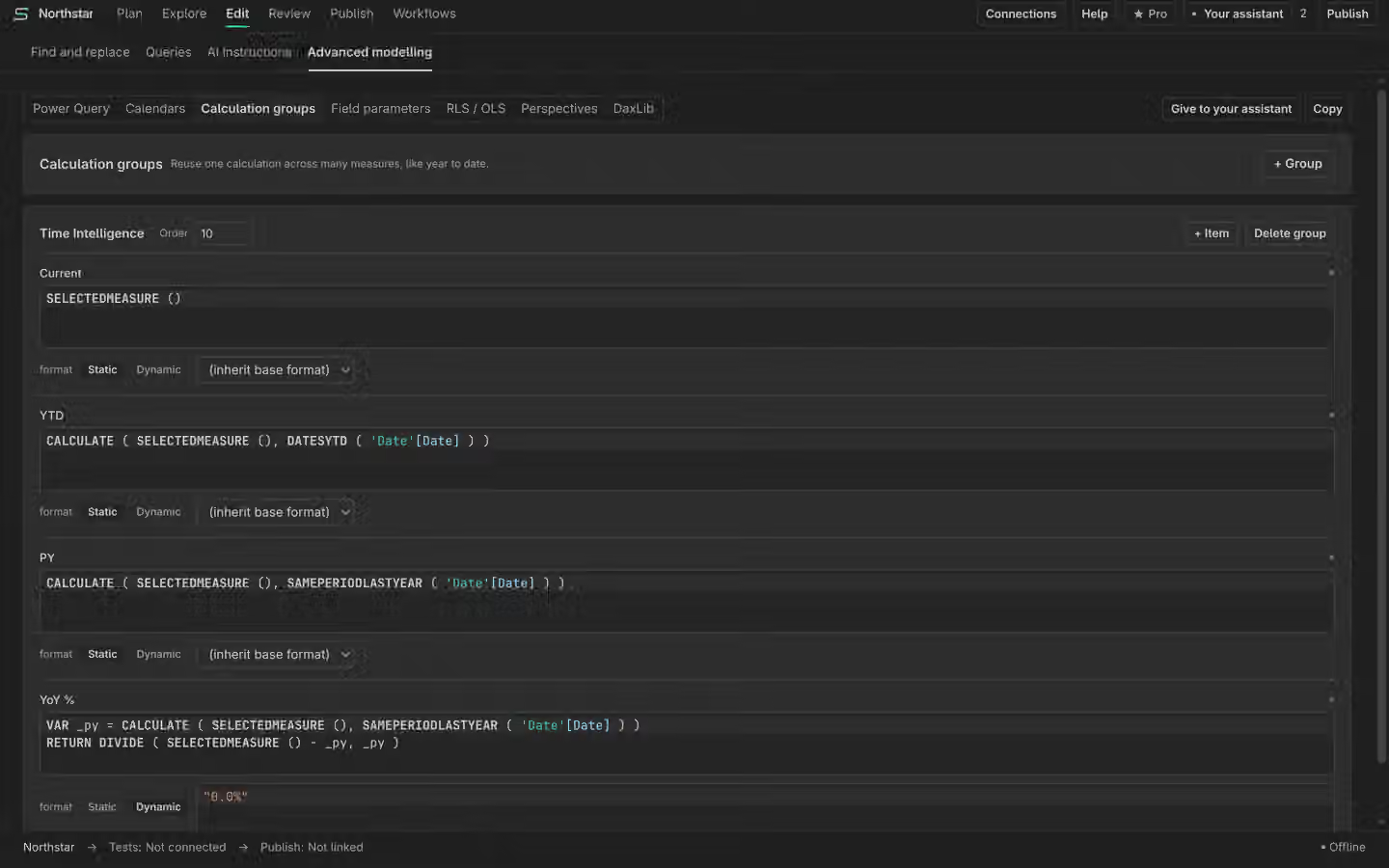
Create groups and items with real editors for each item's expression and its format string. One-click item templates scaffold the common patterns (YTD, QTD, MTD, prior year, year-over-year percent, running total), each item is validity-checked before it saves, and an item's format string can be static or a dynamic expression. Over MCP: create_calculation_group, create_calculation_item, set_calc_group_precedence and set_calc_item_format_string.

Row- and object-level security

Roles, members and permissions live here. The row-filter editor autocompletes the target table's columns and the dynamic-security helpers (USERPRINCIPALNAME() and friends), and a Build a rule menu assembles the common filter shapes without hand-writing DAX. Object-level security is a searchable column list per role. Over MCP: create_role, set_role_member, set_role_permission, set_table_permission, set_column_ols and set_table_ols.

Perspectives

The perspective matrix shows every object against every perspective with instant toggles (a click lands immediately, no round-trip wait), search, per-perspective counts and hierarchy rows. Over MCP: create_perspective, set_perspective_member and get_perspectives.

Field parameters

Build a field parameter from the object browser: multi-select the fields, give each its slicer label, drag to reorder, and create. Works on models of any size. Over MCP: create_field_parameter.

Calendars

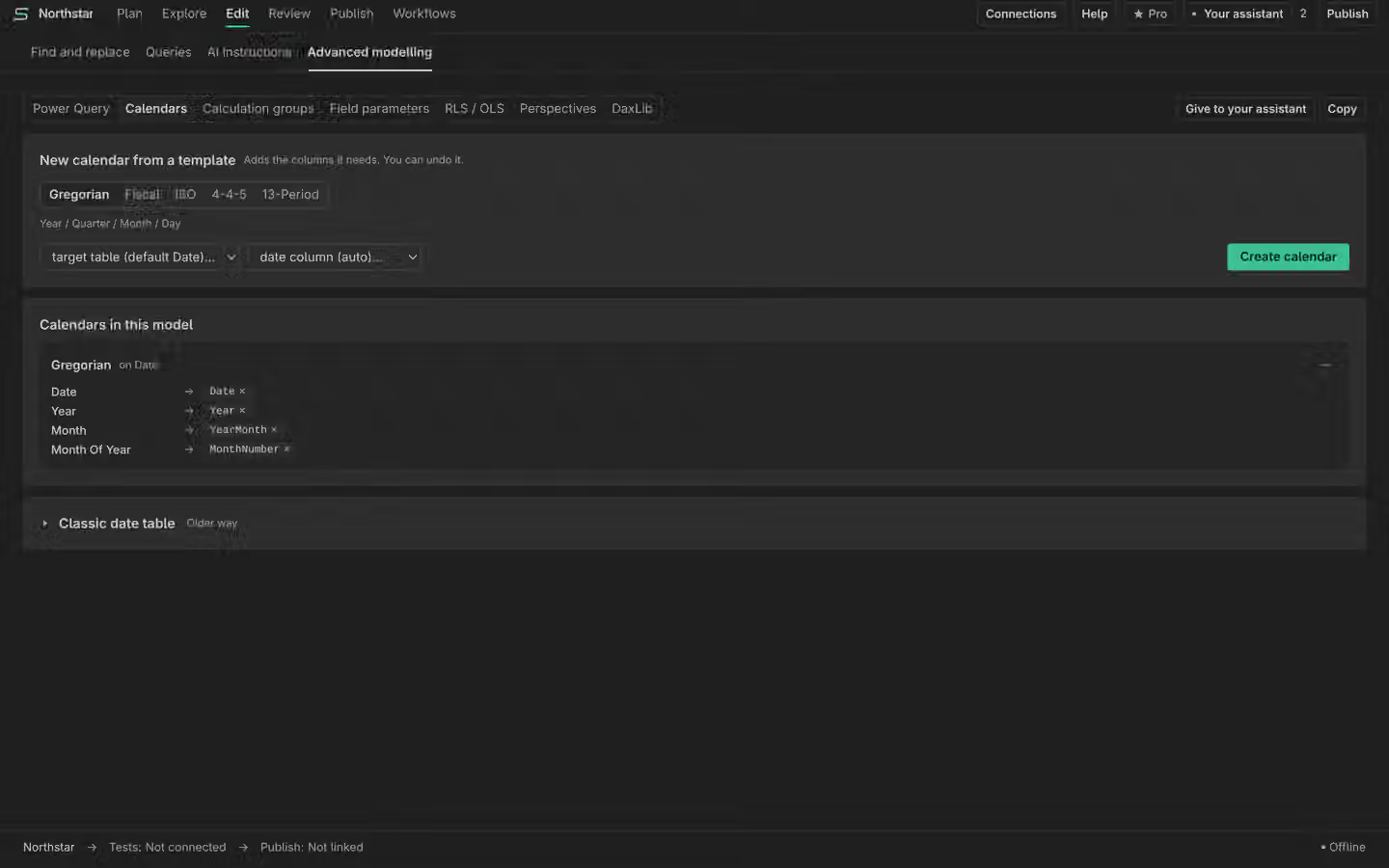
Calendar-based time intelligence has its own area on this tab and its own page: Calendars.

Free

Everything on this page is free: these are single, undoable authoring edits. The one-click bulk paths and enforced workflow runs are what Pro adds.