Find model issues
Read each finding, its available fix and the work it still needs.
On this page
Scan the model
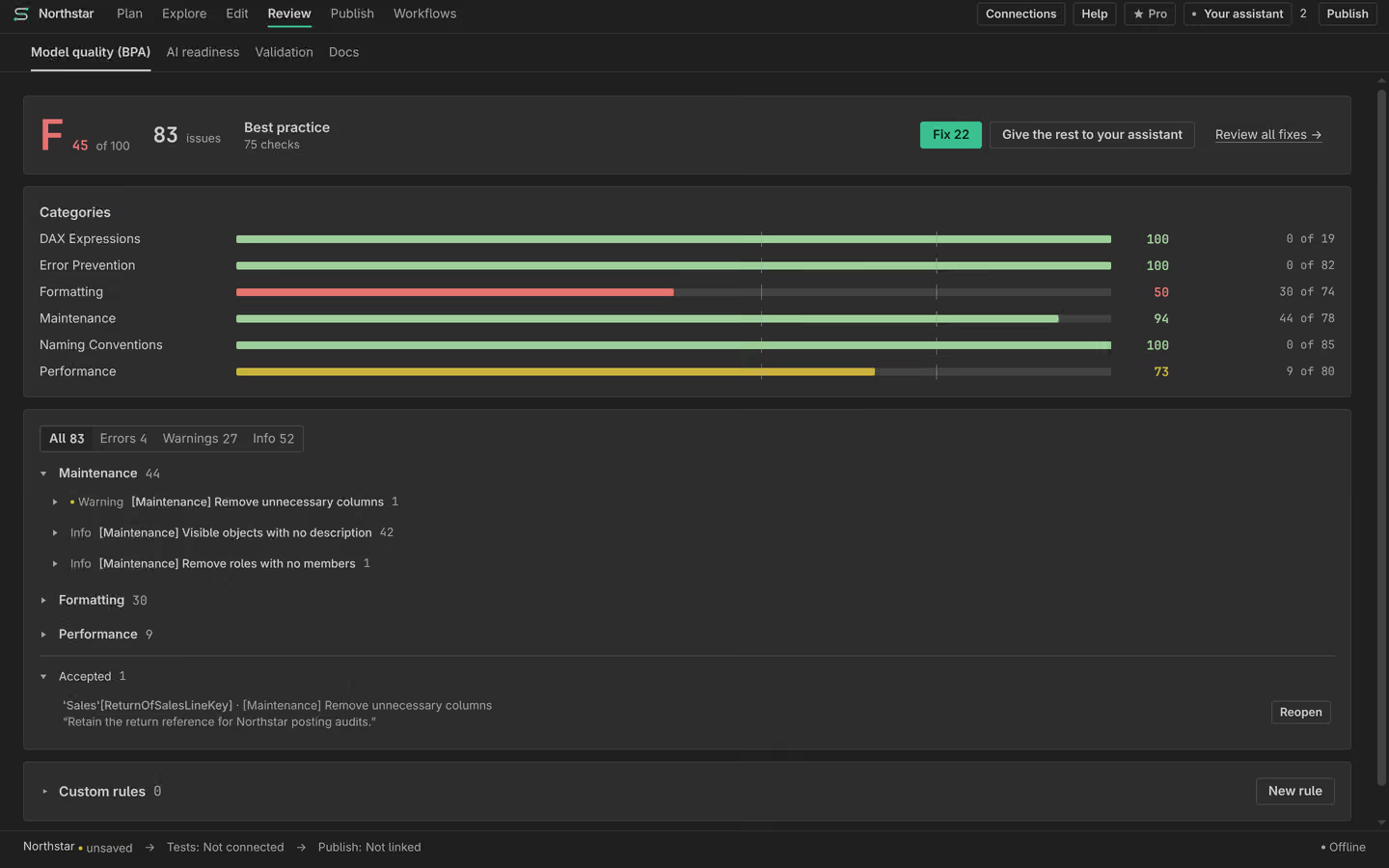
Open Model quality and run a scan. Findings describe model-definition issues and their severity. Read the object, rule and reason together. A rule finding is not a measured query result. Use Validation separately for answers you need to trust.
Bundled and custom rules
Bundled rules provide a starting point. Inspect a custom rule’s scope and preview before adding it. A custom rule may only apply to certain objects or compatibility levels. Read scan coverage and failures so that a missing result is not treated as a pass.
Fix or accept a finding
Use an available fix after reviewing its change. Manual fixes, reviewed bulk fixes and whole-rule acceptance are Free. Some findings need manual work and have no automatic fix. If you accept a finding, record the reason required by the rule. Acceptance is a recorded decision, not proof that the issue disappeared.
Follow work on the Plan
Open a finding’s Plan row or give a task to your assistant. Review its changes, then scan again. Keep accepted issues and unresolved findings visible when publishing. A quality result covers the model and rules that were checked, not a guaranteed grade for every consumer.