Work from the Plan
See what needs doing, who owns it and what happened to the model.
On this page
Play the Plan and explore an example History. The example is drawn for this site.
Read the findings
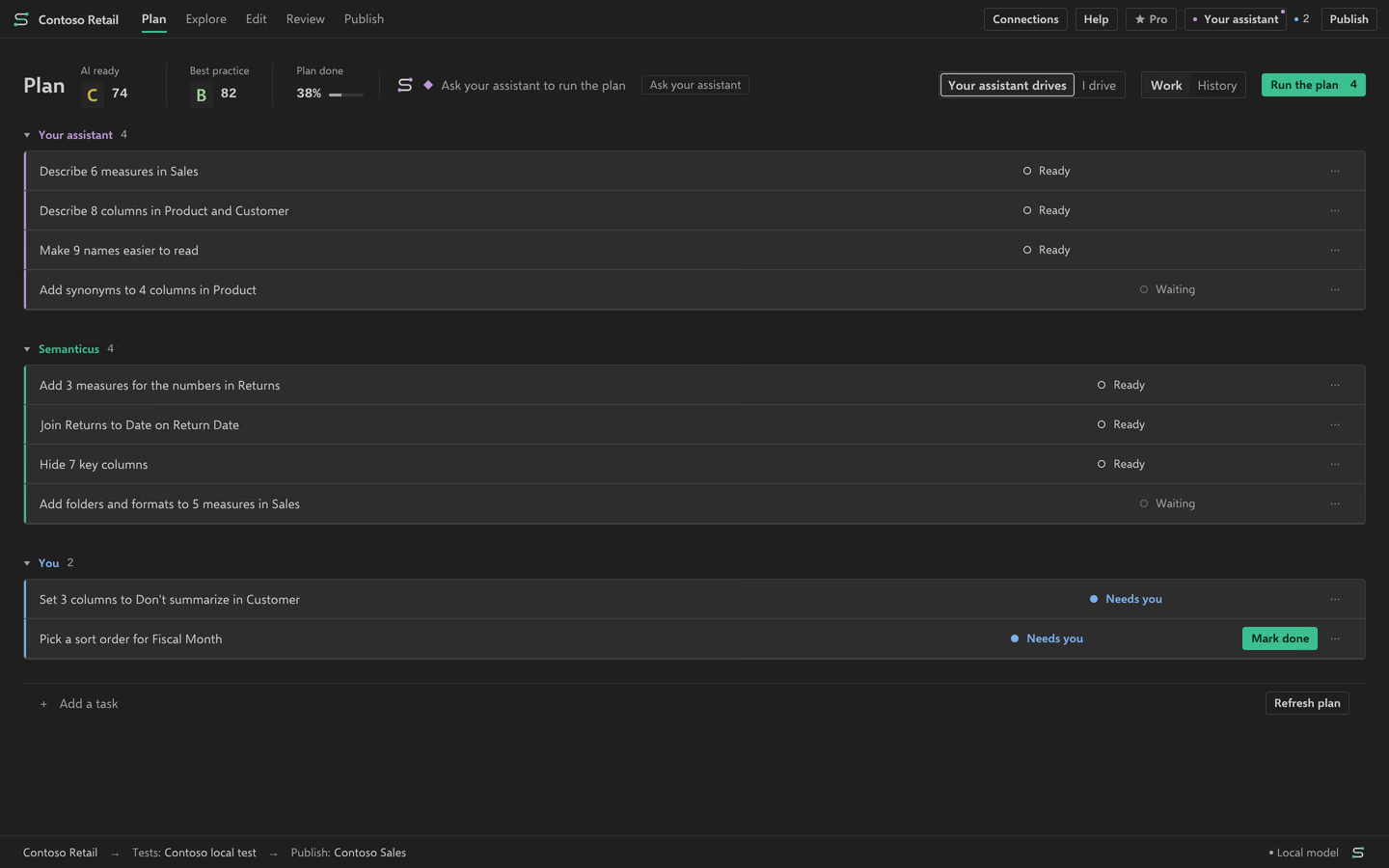
On Free, the Plan lists model gaps in rule order. Each finding has a destination where you can work on it by hand. Pro adds ranking and Run the plan for ready Semanticus rows. That run is one change you can undo. It leaves out rows that are waiting or cannot run, and names what it skipped. Optional cleanup remains a list for the person to review.
Add and hand over a task
Type what you want in the Plan field. Enter adds it; Shift+Enter keeps another line. The task belongs to your assistant unless you choose I’ll do it. Give to your assistant also turns a finding or storage idea into a task. The assistant sees ready work on its next call. Pause its queue or pause a row when you need to stop a handoff. A completion reply is separate from a checked model result.
Review the changes
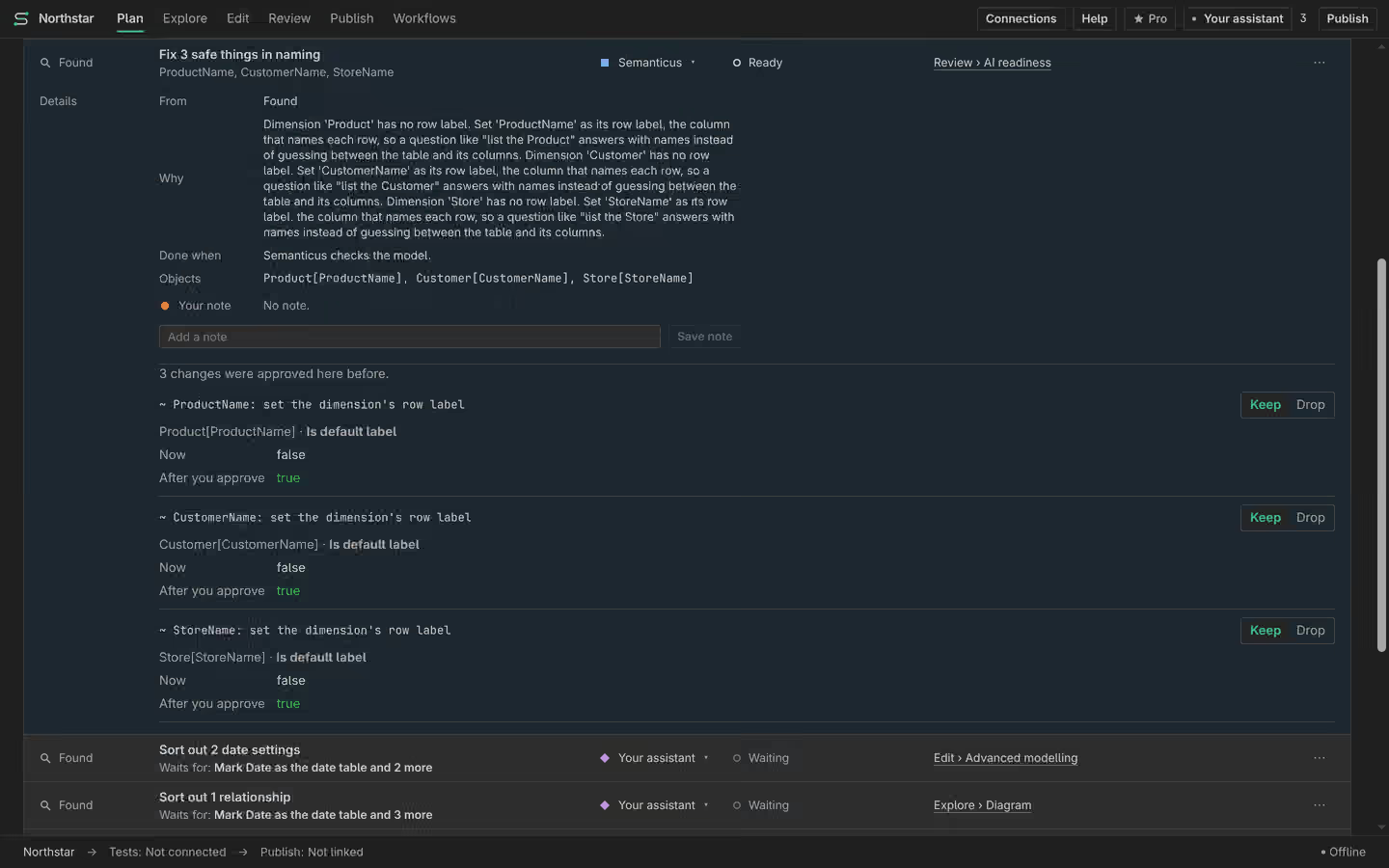
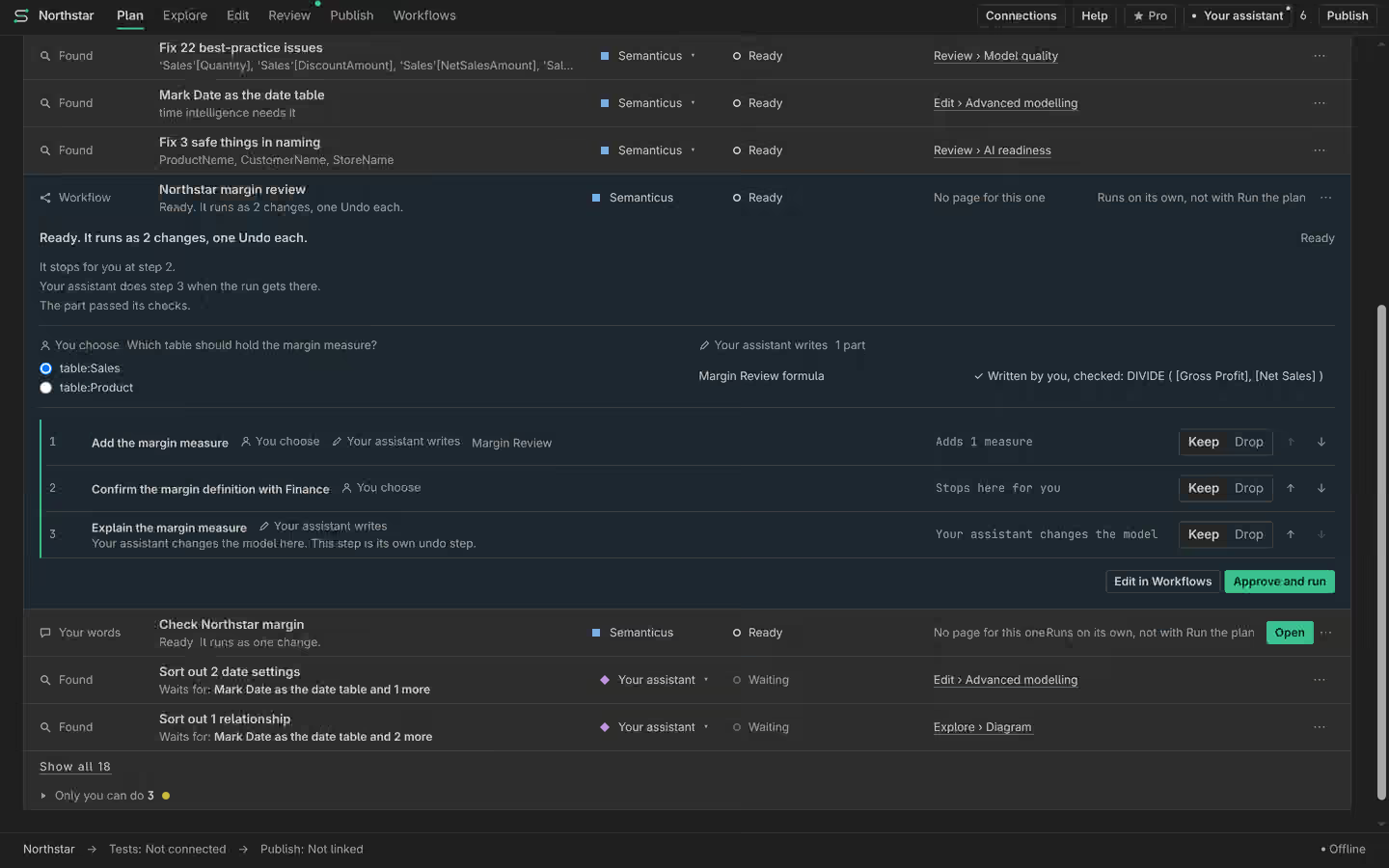
Expand a row to see values before and after. Keep the lines you want and drop the others before approving. If the model changed since the preview, read a fresh preview. Manual reviewed bulk edits are Free. Pro’s automatic Plan run is a different action. A dropped line is not applied, and a row with no kept changes does not add a model edit.
Build from a Model Spec
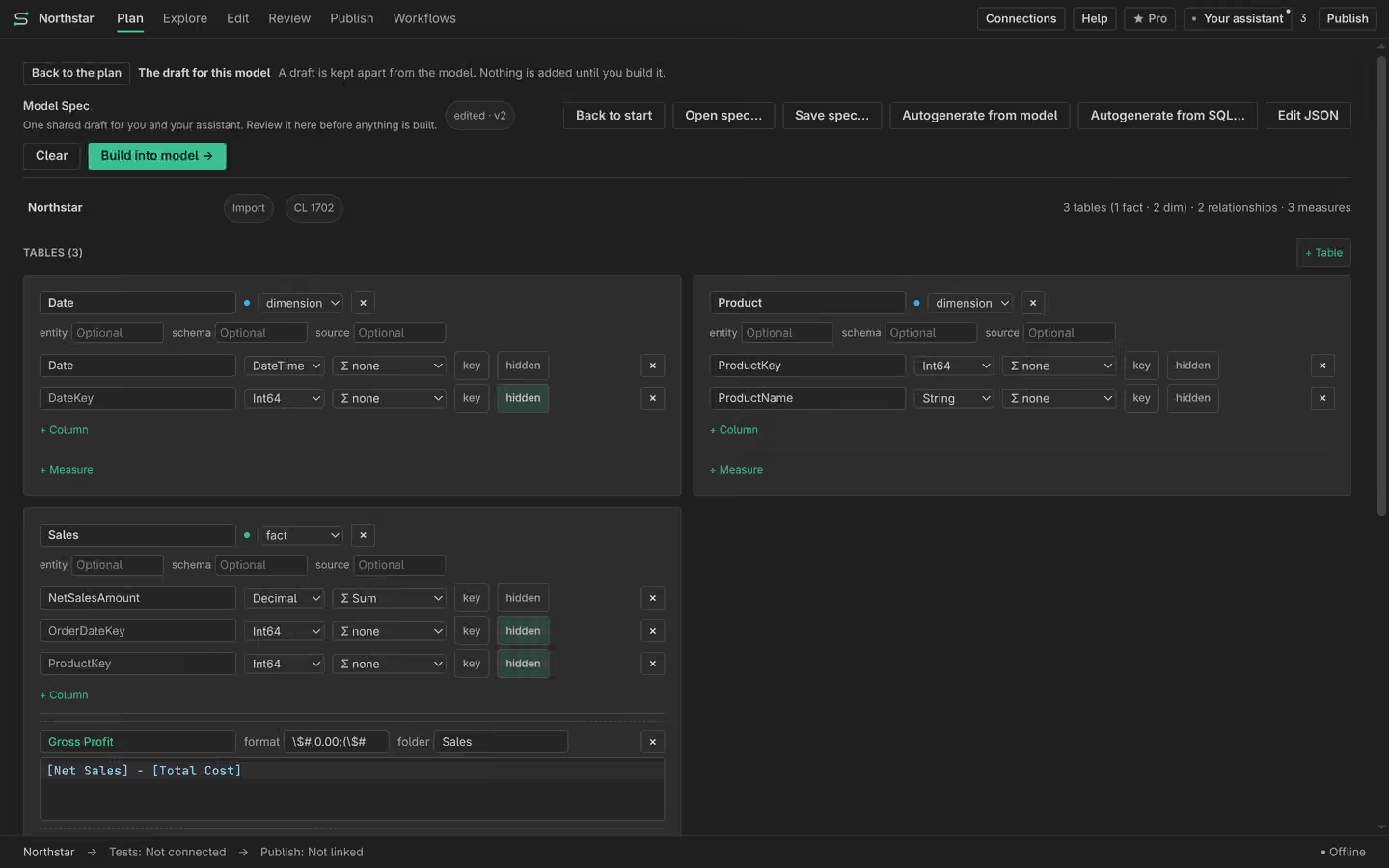
A Model Spec is a structured model draft inside Plan. Review the intended tables, columns, measures and relationships before applying the build. Manual Model Spec work is Free. A draft does not prove its business meaning or guarantee a quality grade. After applying it, check the actual model and the numbers you need.
Pick a draft’s steps
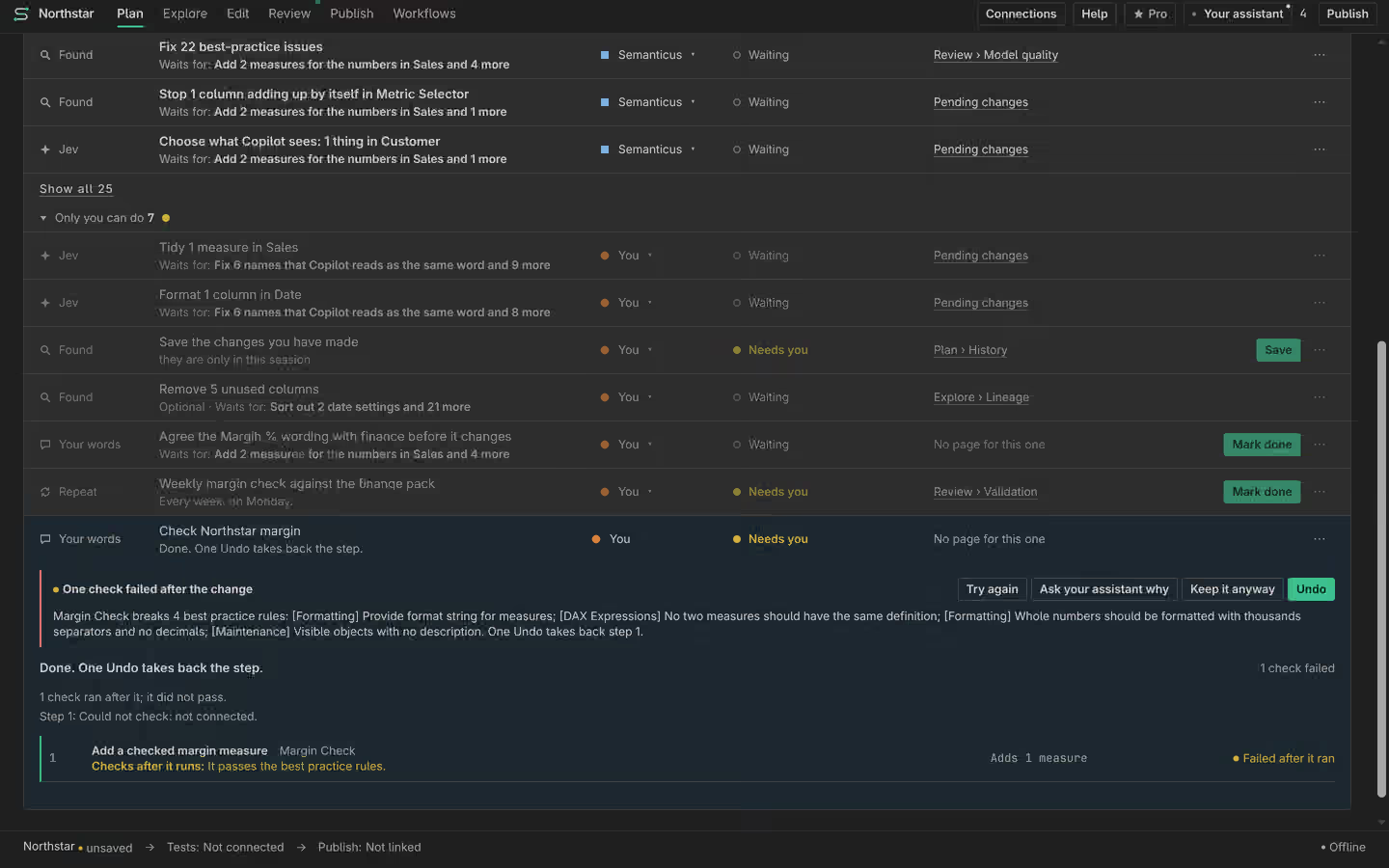
The Plan field or Ctrl J can open a draft. Pick steps from the offered menu and answer their questions. A step can pause for you to press Continue or hand work to your assistant. When a later check fails, Try again reruns unfinished work. Keep it anyway closes the draft without undoing its changes. Read the failed check before choosing it. Inspect What Pro decides for the choices enabled in your build. A point marked not on yet cannot act.
Read History and Undo
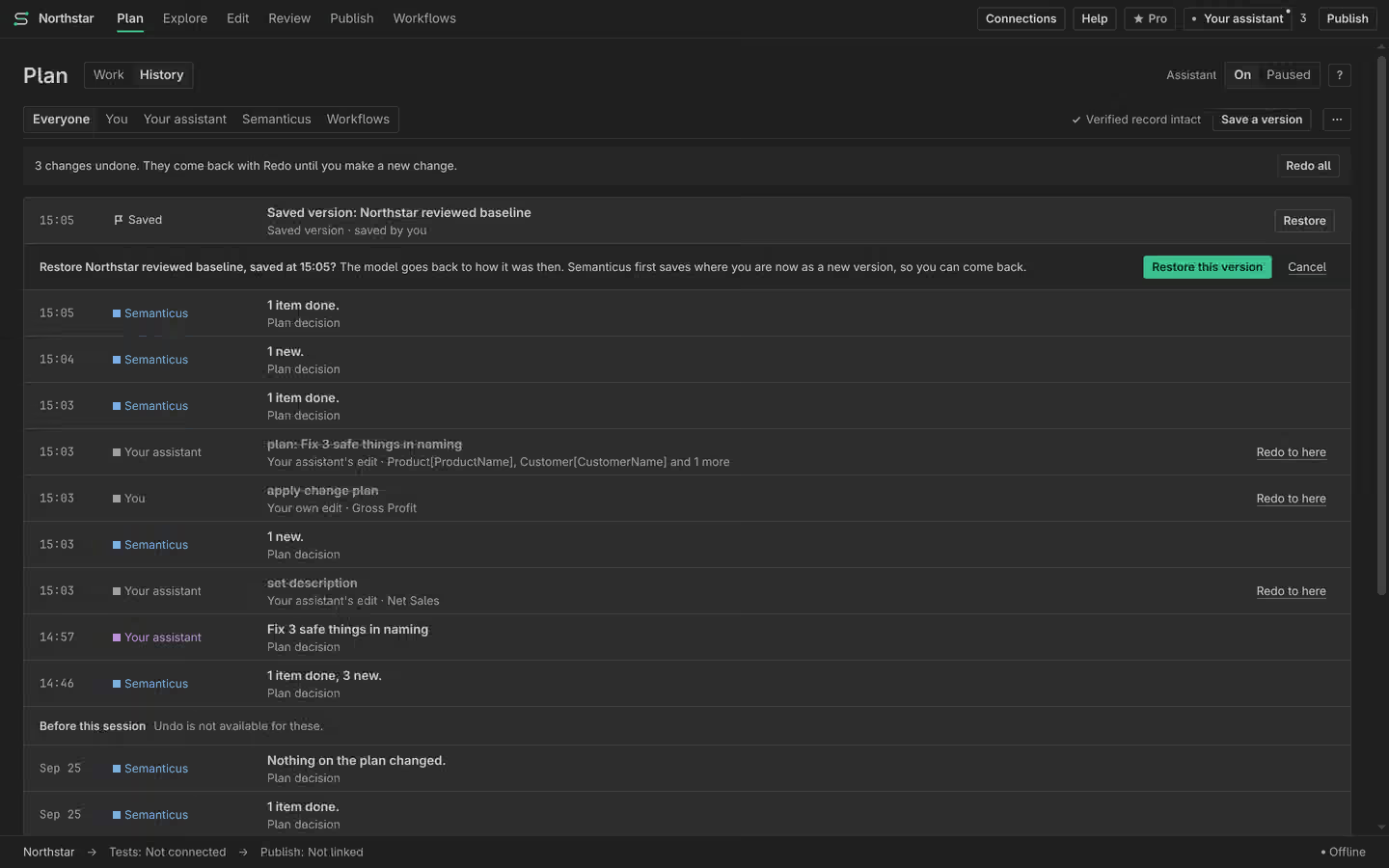
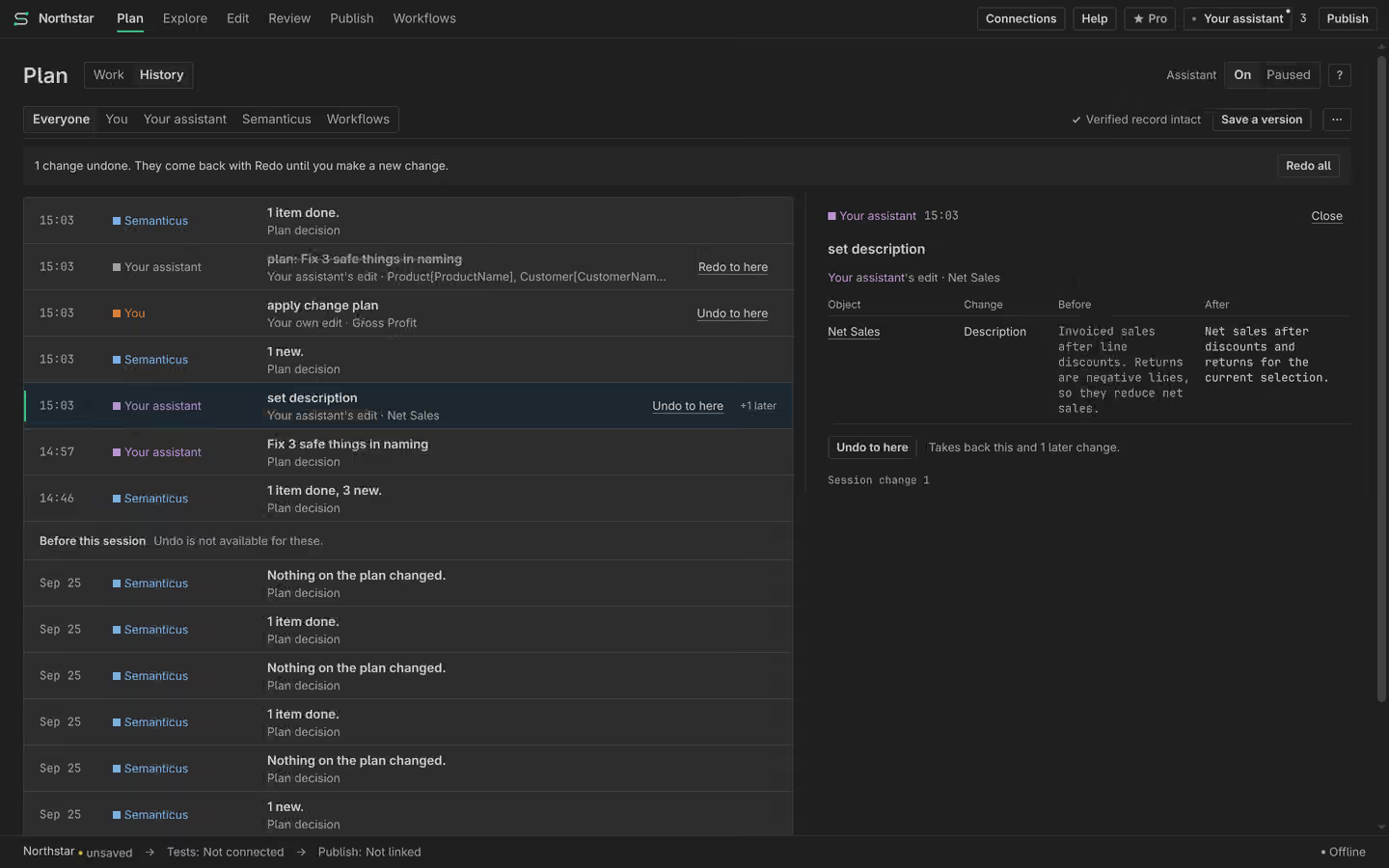
History sits inside Plan. It records the author, the task or run, and the values before and after. Undo to here takes back the selected edit and later edits. Read its preview first. Redo to here puts them back. The run’s status says what one Undo reverses. A query or recorded check in History is evidence of that run, not a guarantee about every context.
Save a version
Save a version keeps a model state you can return to. Restore shows what will change before you confirm it. Review work added since the saved version too. A saved local version and a published version serve different destinations. Use Publish to review a remote rollback.