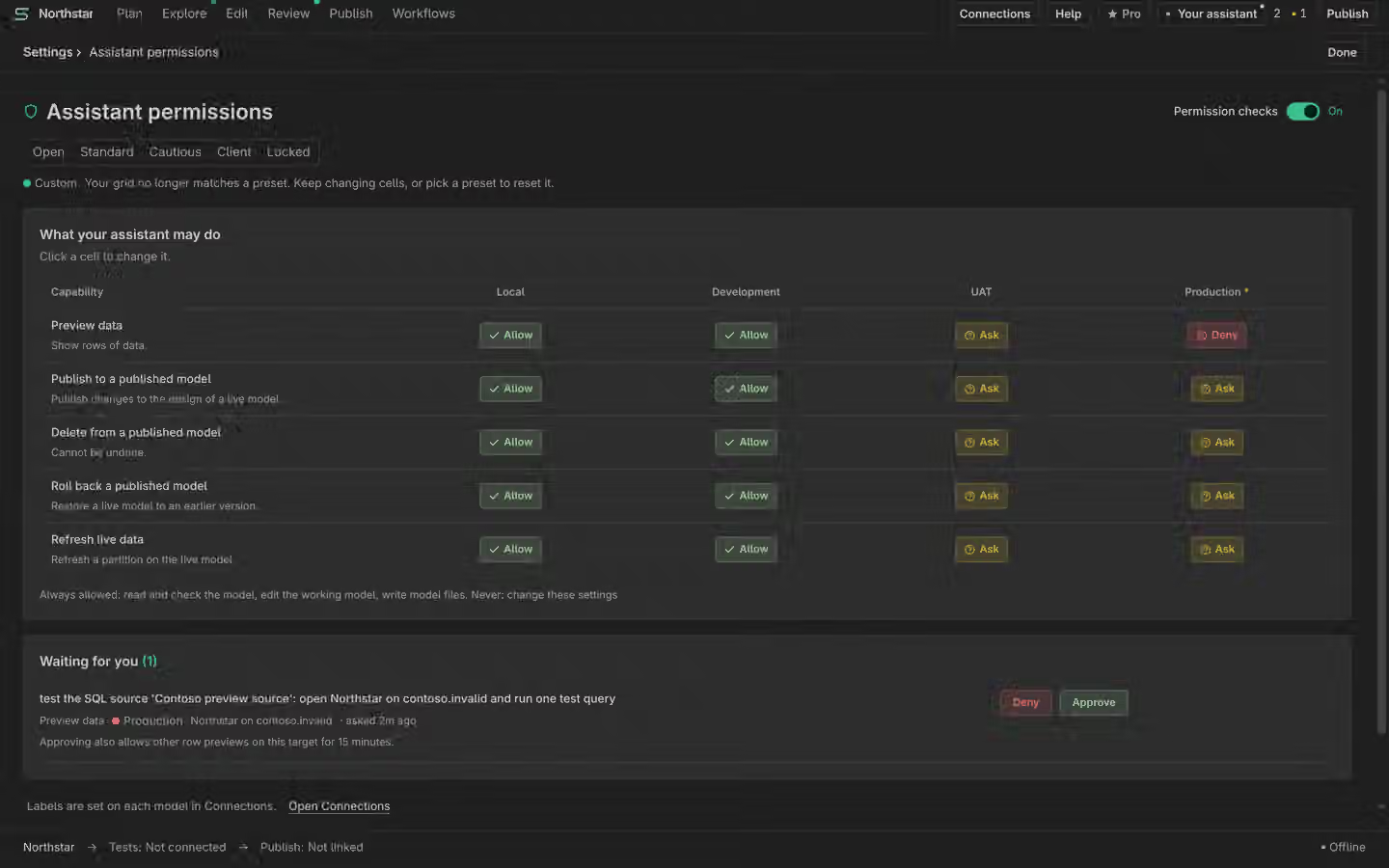
Choose what your assistant may do
Allow routine work, ask for exact approvals and deny work you do not want it to do.
On this page
Start with environment labels
Set a label on each connection in VS Code. Review development and production targets separately. An assistant policy does not grant server permissions or change your Microsoft identity. The permission matrix is Free.
Choose Allow, Ask or Deny
Use a preset as a starting point, then inspect each action group. Allow lets a supported action proceed under that policy. Ask requires your approval for the exact action. Deny blocks it. Do not broaden production access just to make a task finish faster.
Read the exact approval
A pending approval names the action and target you are allowing. Read its preview before confirming. If the action changes or its preview is stale, it needs a fresh review. A refusal means nothing was authorised by that request. Inspect the model and History after a confirmed edit.
Pause or turn it off
Pause the assistant’s task queue on Plan to stop new task handoffs. Use the assistant controls when you want to disconnect or disable access. Semanticus does not hold your assistant’s API key. Jev permission and What Pro decides are separate per-model settings; allowing your assistant does not grant Jev permission.