Review a publish before confirming it
Choose the destination, inspect the difference and clear blockers before a remote write.
On this page
Name the destination
Set Publish to in Connections. Check its environment, model name and your sign-in. The editing model and the publishing destination may be different. A saved local file is not a published remote version.
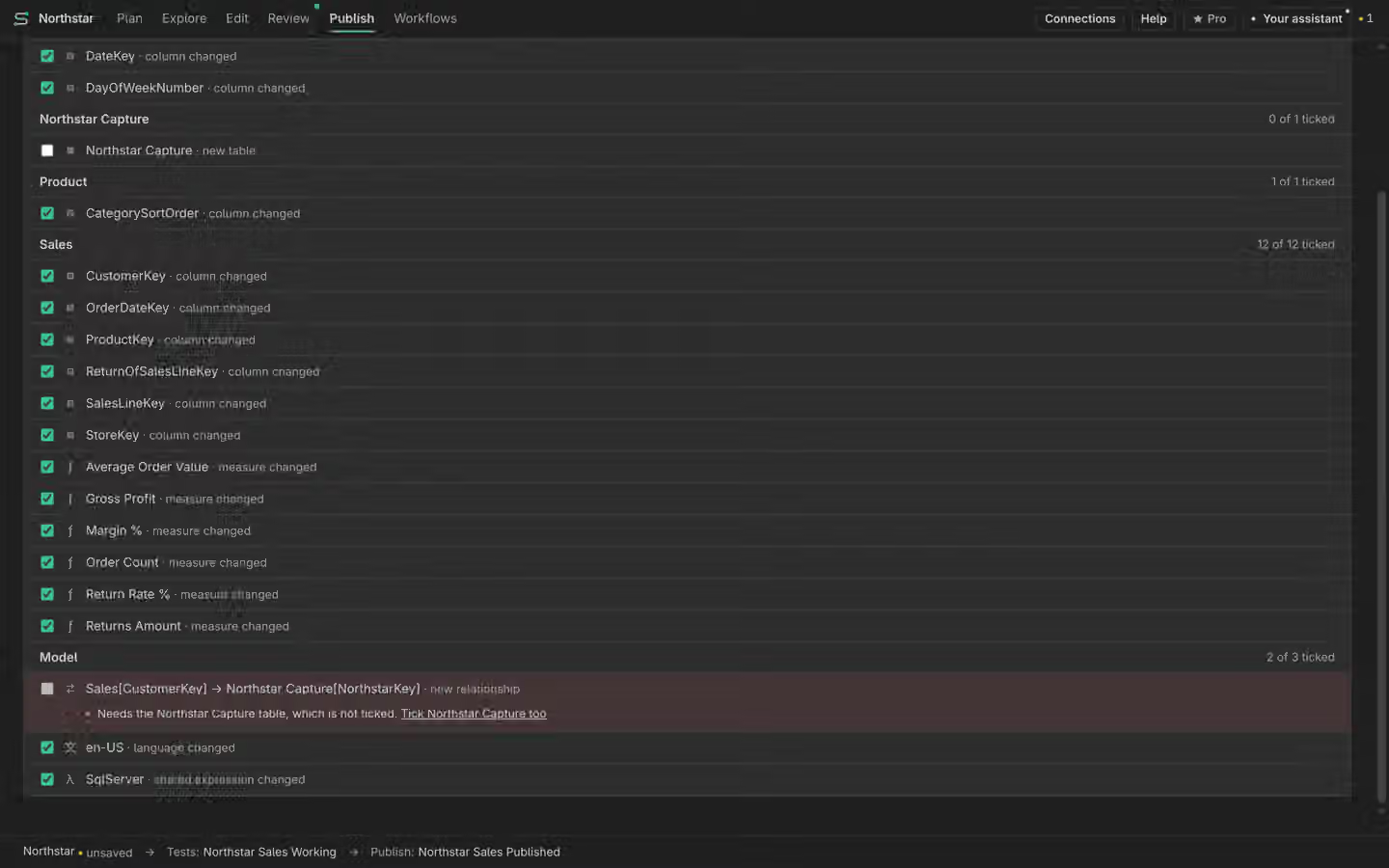
Read the exact preview
Open Published and request a preview. Inspect additions, edits and removals, plus blockers that prevent the write. Clear blockers and request a fresh preview if the model changed. Confirm only the action you reviewed. Manual publishing is Free.
Read the result
After confirmation, inspect the returned result and the destination. A prepared request or local preview is not proof of a remote write. If the write could not be confirmed, read the reason before retrying. Keep the checked scope and any service limits with the record.
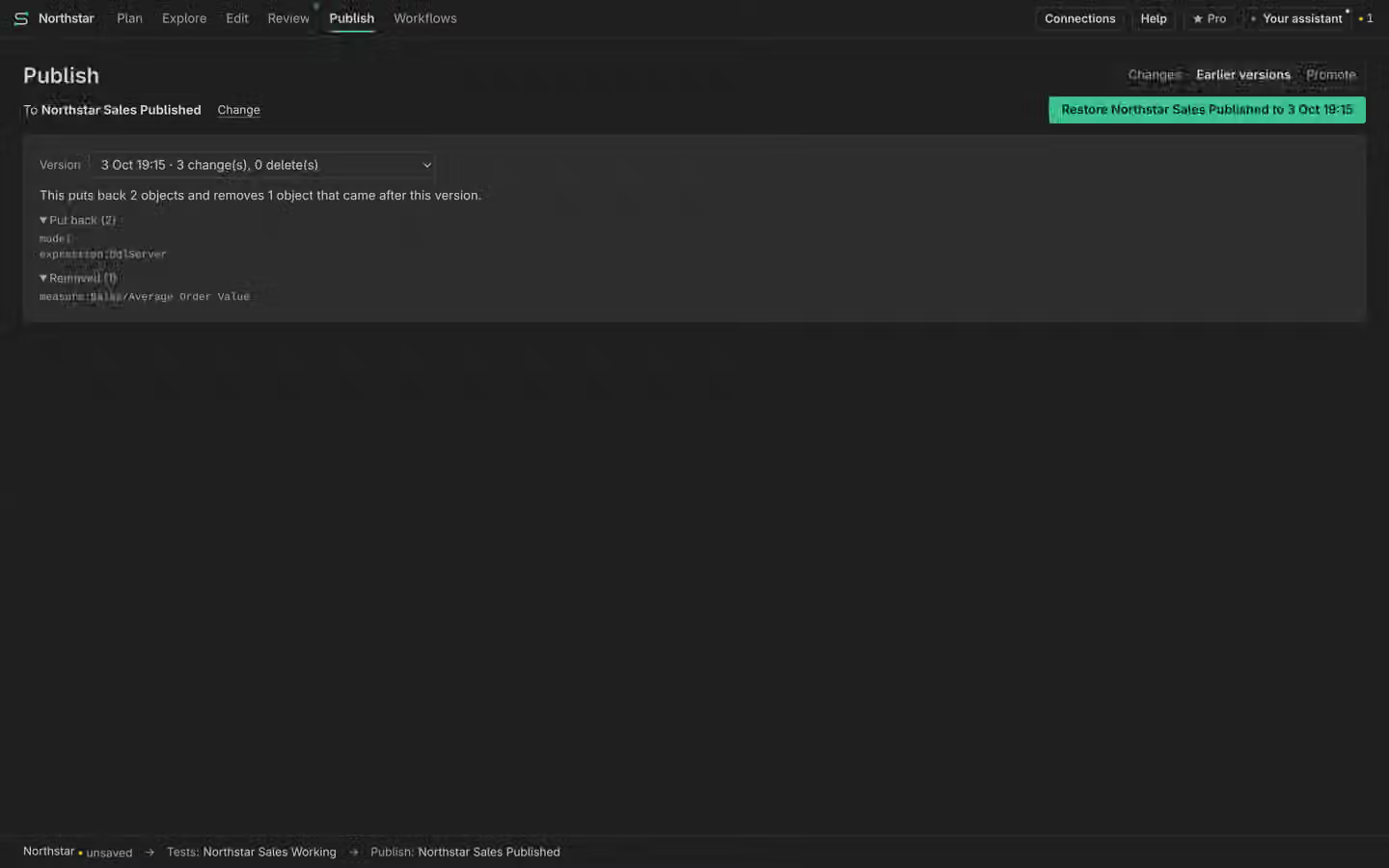
Roll back a published version
Published versions keep the destination states used for supported rollback. Choose the version and review a rollback preview before confirming. The difference can include work added after that version. Rollback is a remote write; it is separate from Plan’s local Undo and saved-version Restore.
Where you can publish
Publish > Changes lists the changes you can send. Tick the ones you want and publish them to the linked model. You can also publish the model as a new model in a workspace. Each choice shows a preview and asks you to confirm. A preview is not proof of a remote write. Read the result and the named destination.