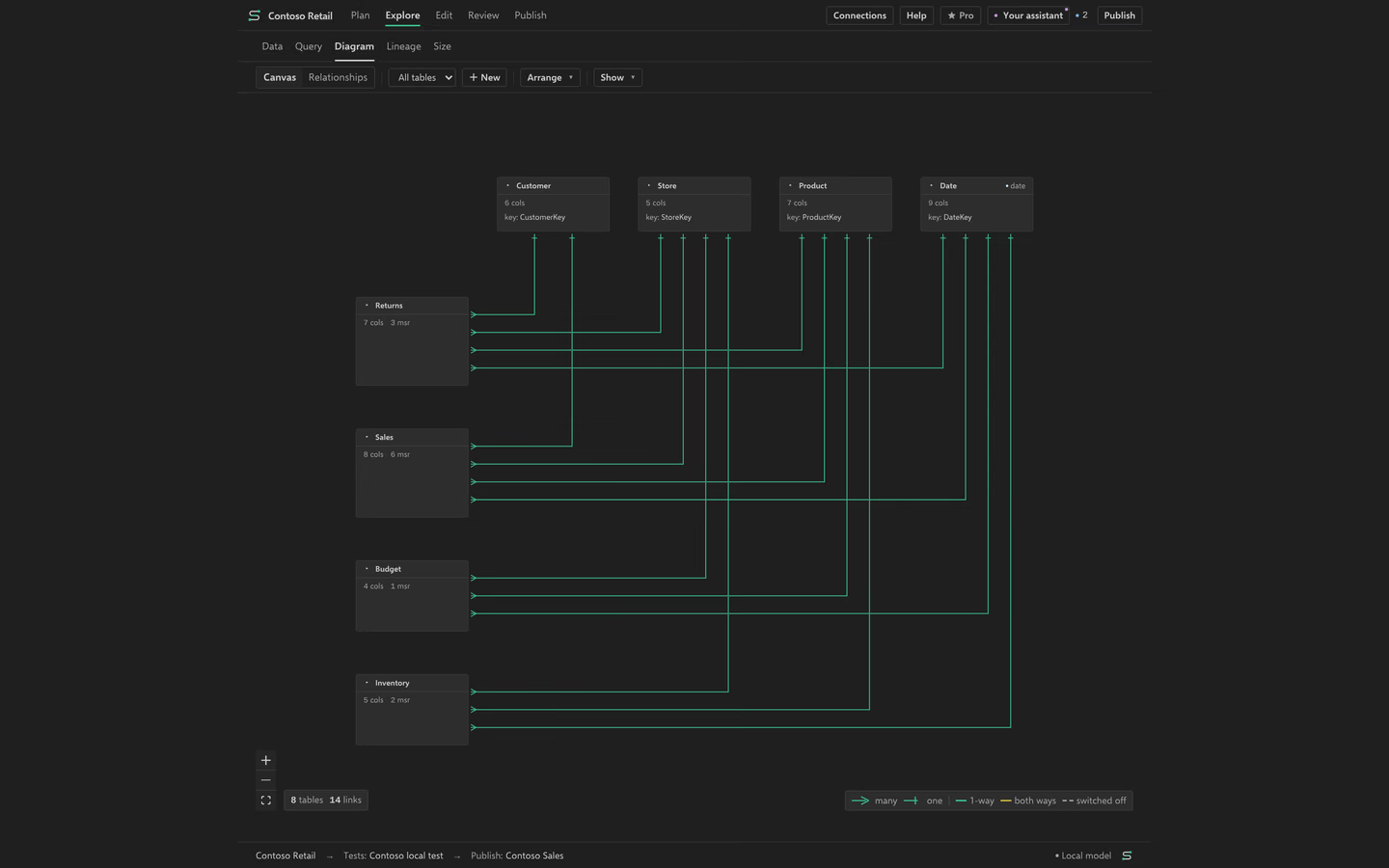
See how tables connect
Read the relationships before you change the model’s structure.
On this page
Read the diagram
Open Diagram under Explore. Inspect the fact tables, shared dimensions and relationship lines. Select a table or relationship to see its properties. Cardinality, filter direction and active state affect how a measure filters data. A clear drawing helps you inspect those settings but does not validate the intended business rules.
Change a relationship
Select the relationship and review its endpoints and settings before applying a change. Check for unexpected filter paths, inactive relationships and loops. Manual relationship edits are Free. Inspect the new values in Plan History and try Undo if the result is wrong.
Keep the useful view
Arrange tables so the model’s main paths are easy to read and save the layout. The layout changes the view, not the model’s joins. Follow a relationship question into Lineage for dependencies or into Validation for a result check.