Check numbers against trusted answers
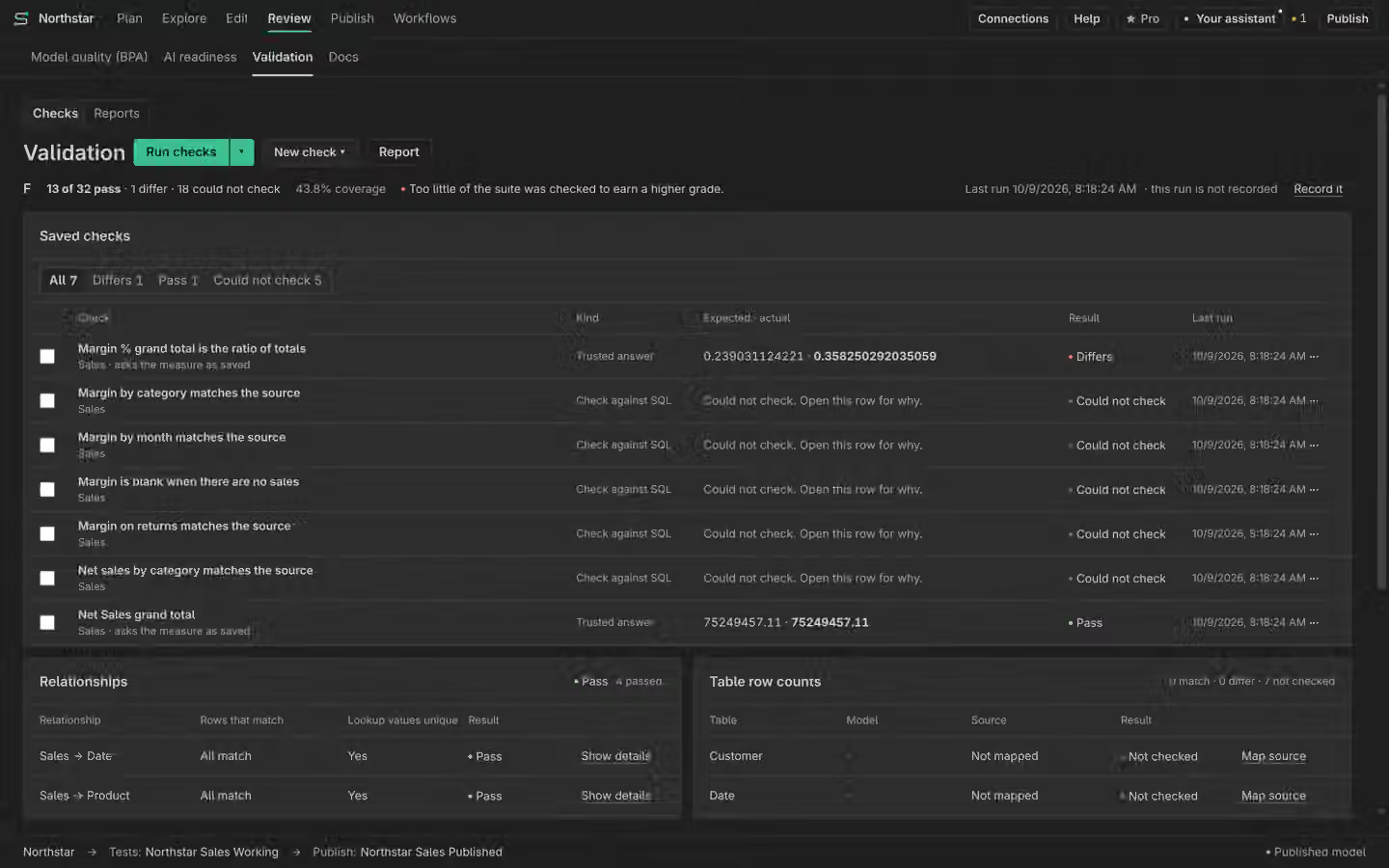
Choose a trusted answer, name the context and read Pass, Differs or Could not check.
On this page
Start with an answer you trust
Open Validation and define the result you expect. Name the measure, grouping and filters. Use a known answer or Check against SQL with an explicit source and table mapping. A model-to-source comparison is only meaningful when both calculations cover the same period and population.
Set the tolerance
Choose the supported tolerance for the check and read its exact meaning. Small numeric differences can come from rounding or data types; large differences need investigation. Do not widen the tolerance merely to get Pass. Save the definition so the next run can use the same stated check.
Read every result
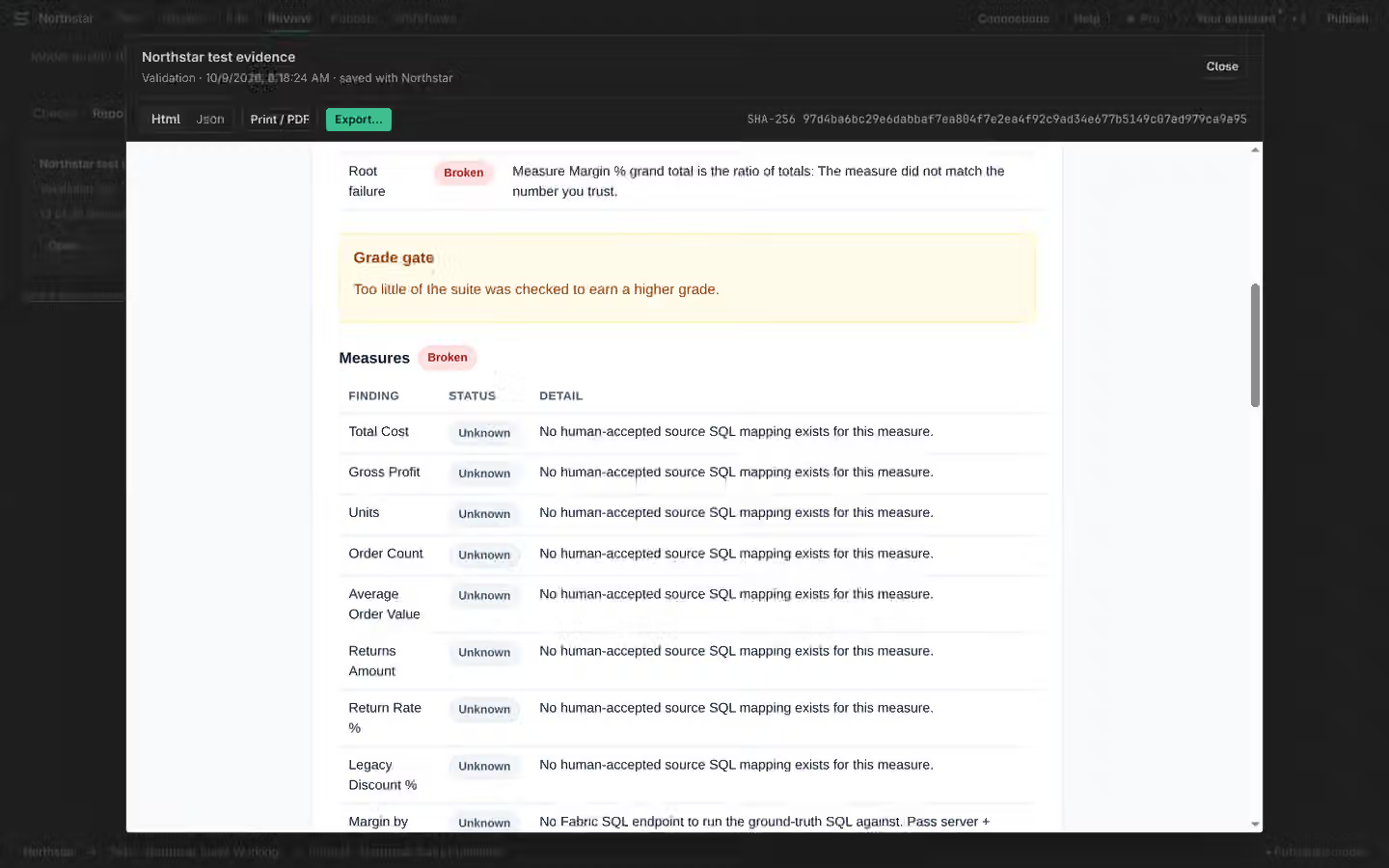
Pass means the values matched within the stated tolerance for the checked context. Differs means the comparison ran and did not match. Could not check means a connection, source, mapping or other prerequisite prevented evidence. Check failed reports a failure in the check itself. None of those missing-evidence states is Pass.
Separate the kinds of check
Validation also supports its listed relationship and row-count checks. Static role and object-security analysis and AI question interviews do not run inside this validation suite. Read those in their own places. Every DAX write is checked independently; Record verified edits only adds an audit record and is Free.
Read saved Reports
Validation definitions, run history and Reports are Free. Open a recorded run to inspect its model state, inputs and results. A report changed outside its trusted record must not be read as the original evidence. A report is a record of a particular run, not a live guarantee after later edits. Follow the corresponding History entry when investigating a change.