Editing & navigation
Search the whole model, replace safely without ever corrupting a formula, and drive the workbench from the keyboard. The Search tab, Find in Model, copy and paste in the Model tree, and the keyboard shortcut suite live here.
#Search across the model
The Search tab (or Ctrl+F with the Studio active) searches every object
in the model at once: names, descriptions, DAX expressions, display folders, format strings,
row-security filters, M source and synonyms. Three match modes toggle on the query bar: case
sensitive, whole word, and regular expressions (validated, with a timeout guard, so a bad pattern
reports itself instead of hanging). By default the search covers the analyst-safe fields; an explicit
Include DAX & M toggle widens it into code.
Results come grouped by what kind of text matched, and a chip row above them shows the counts: All, Measures, Columns, Tables, DAX, M, Descriptions, Other. Clicking a chip filters instantly, without re-running the search. Each hit shows a snippet with the match highlighted, and the grouping is not cosmetic: it tells you how that match can be changed safely, which is what the replace half runs on.
#Replace, without breaking a formula
Text replace in a semantic model is dangerous in one specific way: a measure's name appears inside other measures' DAX, so a naive find-and-replace corrupts formulas. Semanticus routes every replace by what the match actually is:
| The match is... | What replace does |
|---|---|
| An object's name | A reference-aware rename: every DAX and row-security reference to the object is rewritten with it, the same safe rename as the Properties grid. |
| Plain text (a description, display folder, format string) | A direct text edit. |
| Text inside a DAX string literal or comment | Replaced in place, then the expression is re-checked for validity before it is written. |
| DAX code or a reference itself | Refused, with the hint to rename the object instead. A text replace can never corrupt a formula. |
| M source | A literal edit, with a plain warning that references inside M are not auto-rewritten. |
You can replace a single occurrence or every occurrence in that field, and each replace is one free, undoable edit. Row-security filters are deliberately rename-only.
#Preview before you apply
Every per-row Replace opens an inline preview first: the before and after (windowed to the changed part), any warnings (M edits carry their not-reference-fixed warning in amber), and, when the match is a name, an "Also updates N places" line counted off the engine's real dependency graph, so a rename shows its blast radius before anything moves. Nothing changes until you click Apply, each apply stays one undoable step, and a replace the engine refuses shows the refusal and the rename-instead hint in the same panel. Your search query and toggles persist across tab switches.
#Over MCP
The same search and replace are operations your own AI Assistant can drive:
search_model query="Gross Margin" regex=false wholeWord=true
search_model query="Sales Amount" fields=["expression","mExpression"] # widen into code
replace_in_object <objRef> field=description find="FY24" replace="FY25" preview=true # rehearse it
replace_in_object <objRef> field=description find="FY24" replace="FY25" # one undoable edit
search_model returns each hit with its object ref, the field that matched, a snippet,
the exact character spans, and a match class that says how the hit can be changed safely, plus facet
counts for the chips. replace_in_object performs one replace, routed by that match class
with the same guarantees as the UI; with preview=true it rehearses the exact change
(before, after, warnings, and the reference count for a rename) without touching the model. All
free.
#Replace everywhere, as one reviewed batch
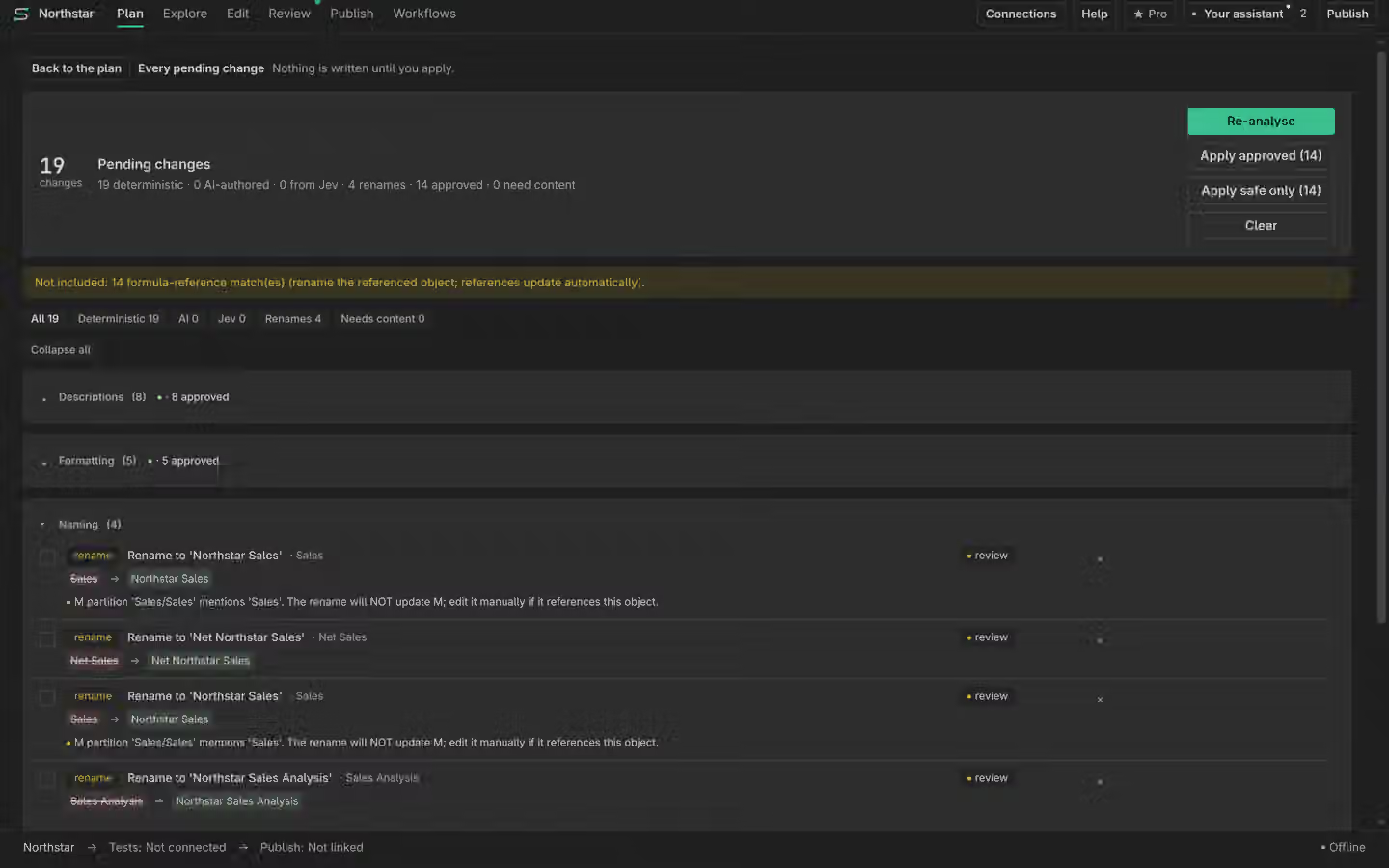
For a model-wide change (a KPI renamed across fifty descriptions, a prefix retired), the Search tab's Replace all… builds a change plan instead of firing edits: every match becomes a reviewable item showing its before and after, and nothing changes until you apply. The same safety routing applies at plan scale. Plain-text matches arrive pre-approved; renames, in-DAX-literal edits and M edits arrive as opt-in proposals (a rename touches every reference, a literal edit changes results, an M edit is not reference-fixed, and the M items carry that warning); and matches that are DAX code or a reference yield no item at all: the plan's note reports them honestly, with the rename-the-object hint. Matches that cannot apply (a name collision, a replacement that would empty a name) come back as skipped items with the reason.
You approve or reject item by item, then the approved subset applies as one atomic, undoable
transaction. The gate is the existing change-plan one: applying more than one item at once is the same
Pro primitive as every other bulk apply; building the plan, reviewing it, and working the list one
item at a time is free. Over MCP the whole flow is propose_replace (build the plan from a
search, nothing mutates) followed by the normal get_plan / set_plan_item /
apply_plan loop.
#Find in Model
From the Model tree, Ctrl+F opens Find in Model: a quick-pick over
every object's name, description and DAX that jumps you straight to the object. It searches the whole
model, not just the tree nodes already expanded, and it hands off to the Search tab when you want the
full find-and-replace surface.
#Copy and paste in the Model tree
The Model tree speaks the clipboard. Copy an object (right-click, or
Ctrl+C with the tree focused), then Paste (Ctrl+V) to
duplicate it. Paste onto the same container and the copy lands beside the original under a
collision-safe name; paste a measure onto a different table (or a calculation item onto a different
calculation group) and it is cloned there, with its name checked against the whole model and the
landing table. Copyable objects: measures, columns and calculated columns, hierarchies, tables
(including calculated tables and field parameters), calculation groups, and calculation items.
Every paste is a real engine edit: one undoable step, visible in Edit History, and broadcast live so your AI assistant sees it too. The Paste menu only lights up on a target the copied object can actually land on, and when a paste cannot work (a column onto a foreign table, for instance) the tree explains why in plain English instead of failing or silently duplicating somewhere else. Copying from the Reference Model tree into your model works the same way, with the same keys. One object at a time for now; multi-select copy is not in yet.
Over MCP the same primitive is duplicate_object: it accepts an optional
targetRef (the paste container), so an agent can clone a measure onto another table or a
calculation item onto another group with the identical naming and refusal rules.
#Keyboard shortcuts
Every common operation has a shortcut. Press ? inside the Studio for the in-product
cheat sheet, or run Semanticus: Keyboard Shortcuts from the command palette. Two
rules govern every default: Semanticus never grabs a key outside its own surfaces (every binding is
scoped to a Semanticus panel, tree or editor, so Ctrl+F in your Python file is still VS
Code find), and everything is remappable, because every gesture is backed by a command you can rebind
in VS Code's Keyboard Shortcuts editor.
#In the Studio
| Gesture | Action |
|---|---|
Ctrl+F (⌘F) | Search & replace across the model (opens the Search tab) |
Ctrl+S (⌘S) | Save the model to disk |
Ctrl+Shift+1…4 | Jump to a group: Build · Inspect · Improve · Ship |
Ctrl+Alt+← / Ctrl+Alt+→ | Previous / next Studio tab (wraps at the ends) |
Ctrl+Alt+Z / Ctrl+Alt+Shift+Z | Undo / redo the last model change (the shared timeline, not text undo) |
Ctrl+Alt+D / M / L / R / B / H / W / K | Jump to Diagram · M Code · DAX Lab · AI Readiness (re-scans) · Best Practice (scans on open) · Edit History · Workflows · Knowledge |
Ctrl+Alt+T | Focus the Model tree in the side bar |
Ctrl+Enter (⌘↩) | Run the query (DAX Lab) |
? | Show or hide the shortcuts cheat sheet (never fires while you are typing) |
Esc | Close the cheat sheet or the help slide-over |
#In the Model tree
| Gesture | Action |
|---|---|
Ctrl+F (⌘F) | Find in Model |
Ctrl+S (⌘S) | Save the model to disk |
Ctrl+Z · Ctrl+Shift+Z / Ctrl+Y | Undo / redo the last model change |
F2 | Rename the selected object (DAX references rewritten automatically) |
Delete (⌘⌫) | Delete the selected object(s), always with a confirm; references are not rewritten |
Ctrl+Alt+N | New measure on the selected table |
Ctrl+Alt+S | Open the Studio (also from the Reference Model tree) |
Ctrl+C / Ctrl+V | Copy the selected object, paste to duplicate it (same table, another table, or from the Reference Model tree) |
#In the DAX and TMDL editors
| Gesture | Action |
|---|---|
Ctrl+S (⌘S) | Save the DAX back to the model |
Ctrl+Enter (⌘↩) | Apply a DAX or TMDL script (the editable script documents only) |
Shift+Alt+F | Format DAX (offline) |
Ctrl+Alt+F | Format DAX with DAX Formatter (online) |
Every gesture is a command (semanticus.studioGoTab, semanticus.undo,
semanticus.studioSearch and friends), so you can bind anything to them in
File → Preferences → Keyboard Shortcuts, including tabs that ship without a
default key.
Semanticus